
DevOps
Platform engineering with feature flags, connector toolkit, and operational observability
The DevOps zone is the platform's own engineering command center — managing CI/CD pipelines, feature flags, connector health, and operational observability. This is where the platform's reliability engineering and continuous improvement happen.
What You'll See
Real screens from the DevOps AI control plane — populated with representative data.
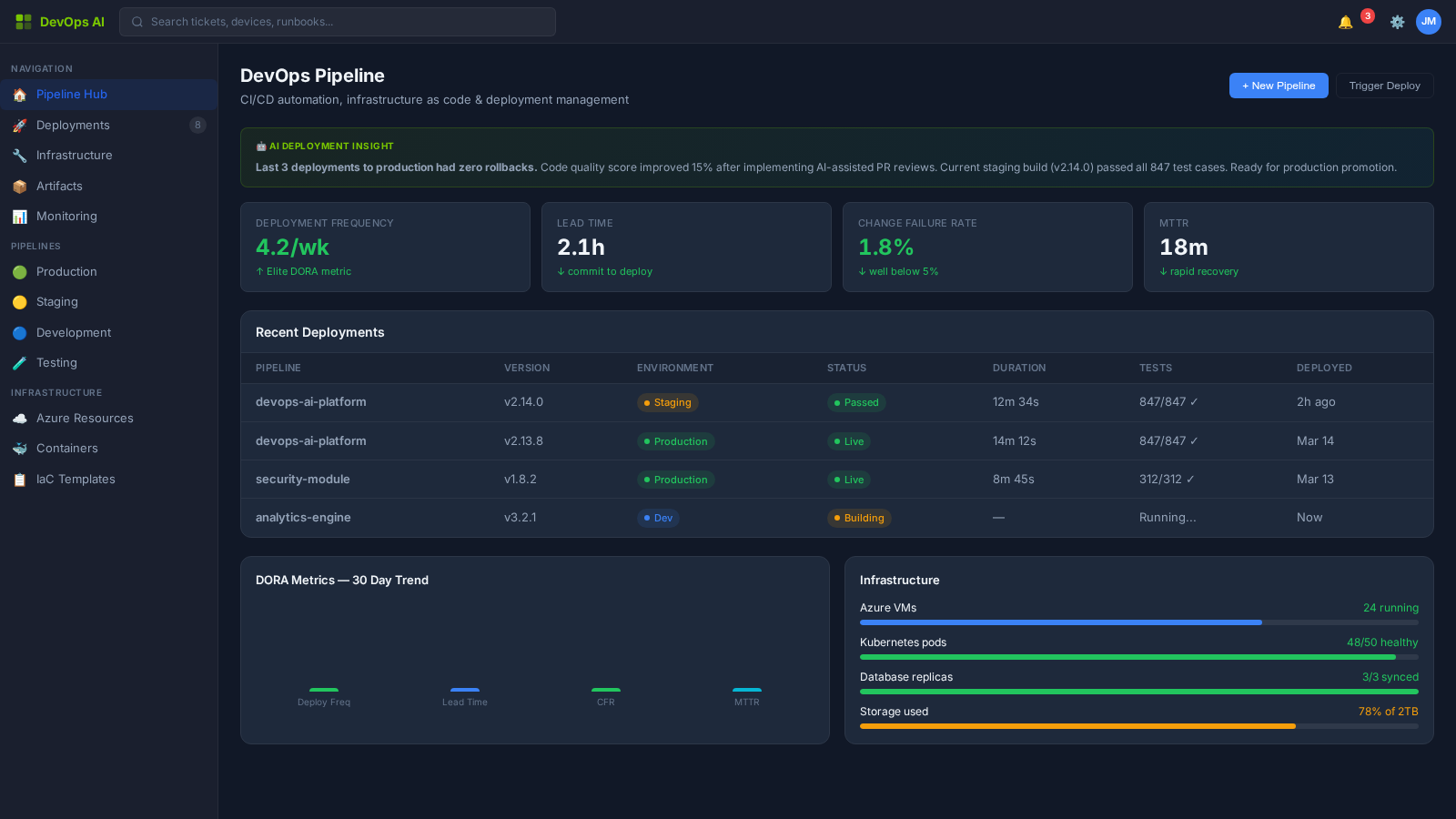
8 Process Areas
Each process area is classified with a Human-in-the-Loop (HITL) gate level — defining the boundary between AI autonomy and human oversight. Click any process area for a deep dive.
Feature Flag Management
L2 — Approve to ProceedGranular feature flags with gradual rollout, A/B testing, and emergency kill switches. Per-tenant and per-role targeting.
Deep Dive →A/B Testing Framework
L2 — Approve to ProceedStatistically rigorous A/B tests for platform features with automated significance detection and outcome reporting.
Deep Dive →Connector Toolkit
L2 — Approve to ProceedUnified connector framework for third-party integrations — NinjaRMM, ConnectWise, ServiceNow, Intune, Wazuh, and more.
Deep Dive →SRE Golden Signals
L0 — Fully AutomatedLatency, traffic, errors, and saturation monitoring across all platform services with automated anomaly detection.
Deep Dive →Bottleneck Detection
L0 — Fully AutomatedAI-powered performance analysis identifying system bottlenecks, resource contention, and optimization opportunities.
Deep Dive →Configuration Management
L2 — Approve to ProceedCentralized configuration with environment-specific overrides, secrets management, and change audit trail.
Deep Dive →Environment Lifecycle
L2 — Approve to ProceedDev/staging/production environment management with automated provisioning, data seeding, and teardown.
Deep Dive →Integration Health Dashboard
L0 — Fully AutomatedReal-time health status for all third-party integrations with availability tracking, latency monitoring, and error rate alerts.
Deep Dive →CI/CD Pipeline Management
L1 — NotifyContinuous integration and delivery pipeline orchestration with Azure DevOps and GitHub Actions — automated build, test, and deploy workflows.
Deep Dive →Deployment Orchestration
L2 — Approve to ProceedMulti-environment deployment orchestration with blue-green, canary, and rolling update strategies — including pre-deployment validation and rollback triggers.
Deep Dive →GCC High Compliance Deployment
L3 — Human OnlySpecialized deployment pipeline for Azure Government Cloud (GCC High) environments with FedRAMP boundary controls and ITAR compliance checks.
Deep Dive →Understanding HITL Gate Levels
Every process area in DevOps AI is classified by its Human-in-the-Loop (HITL) gate level — defining when AI acts autonomously and when human approval is required.
AI executes autonomously with full logging. No human approval needed. Examples: ticket classification, monitoring alerts, report generation.
AI executes and notifies the assigned human. Human can review, override, or escalate after the fact. Examples: SLA predictions, patch scheduling.
AI prepares and recommends, but a human must explicitly approve before execution. Examples: change requests, contract modifications, campaign launches.
Humans perform the action with AI providing decision support only. Examples: legal review, privileged access approval, incident legal response.
Who Uses DevOps?
See how DevOps transforms daily operations for these roles.
Works With
DevOps integrates deeply with these operational zones.