
Projects
Migration command center with CAB governance, AI risk scoring, and phase-gated execution
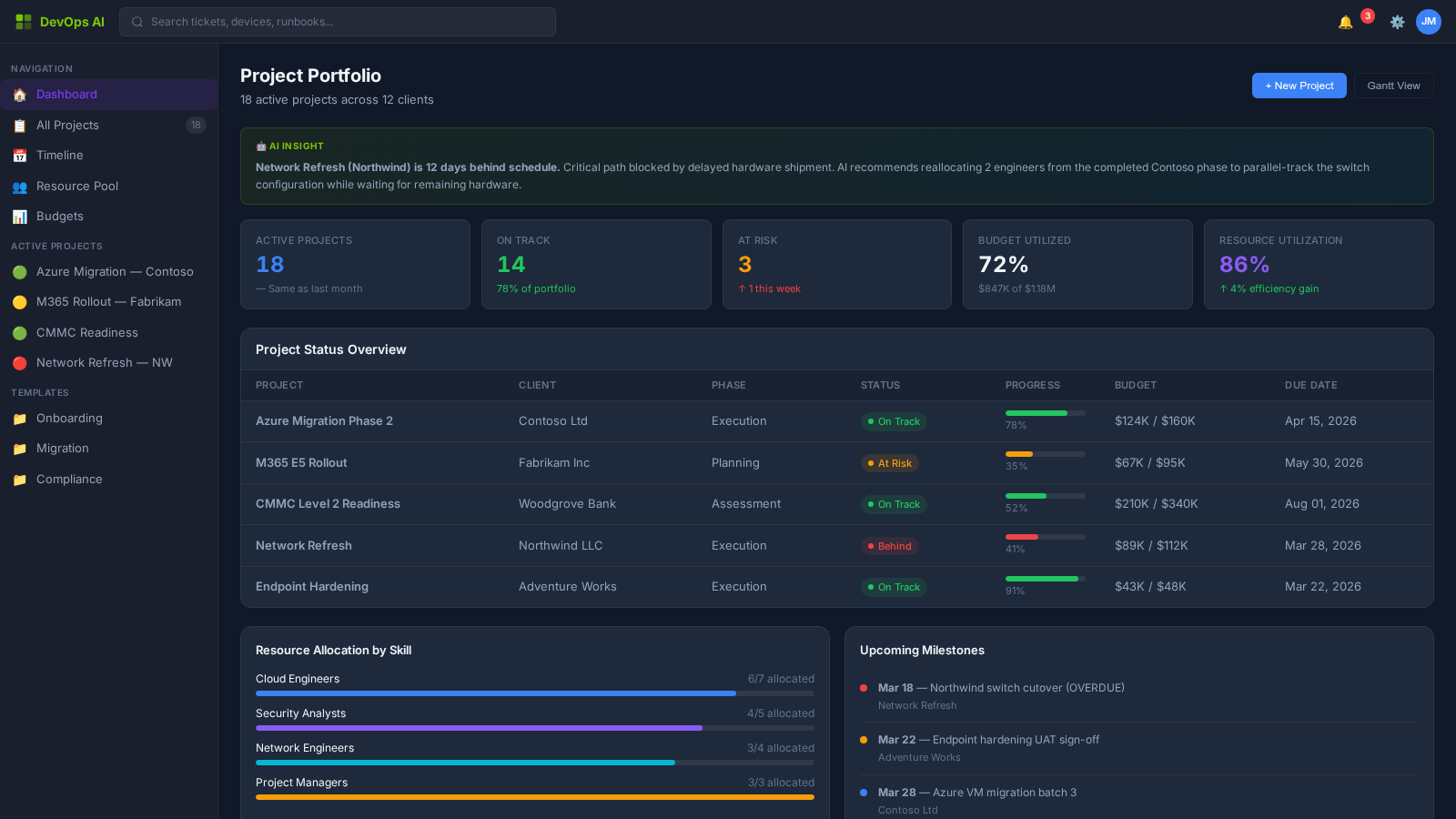
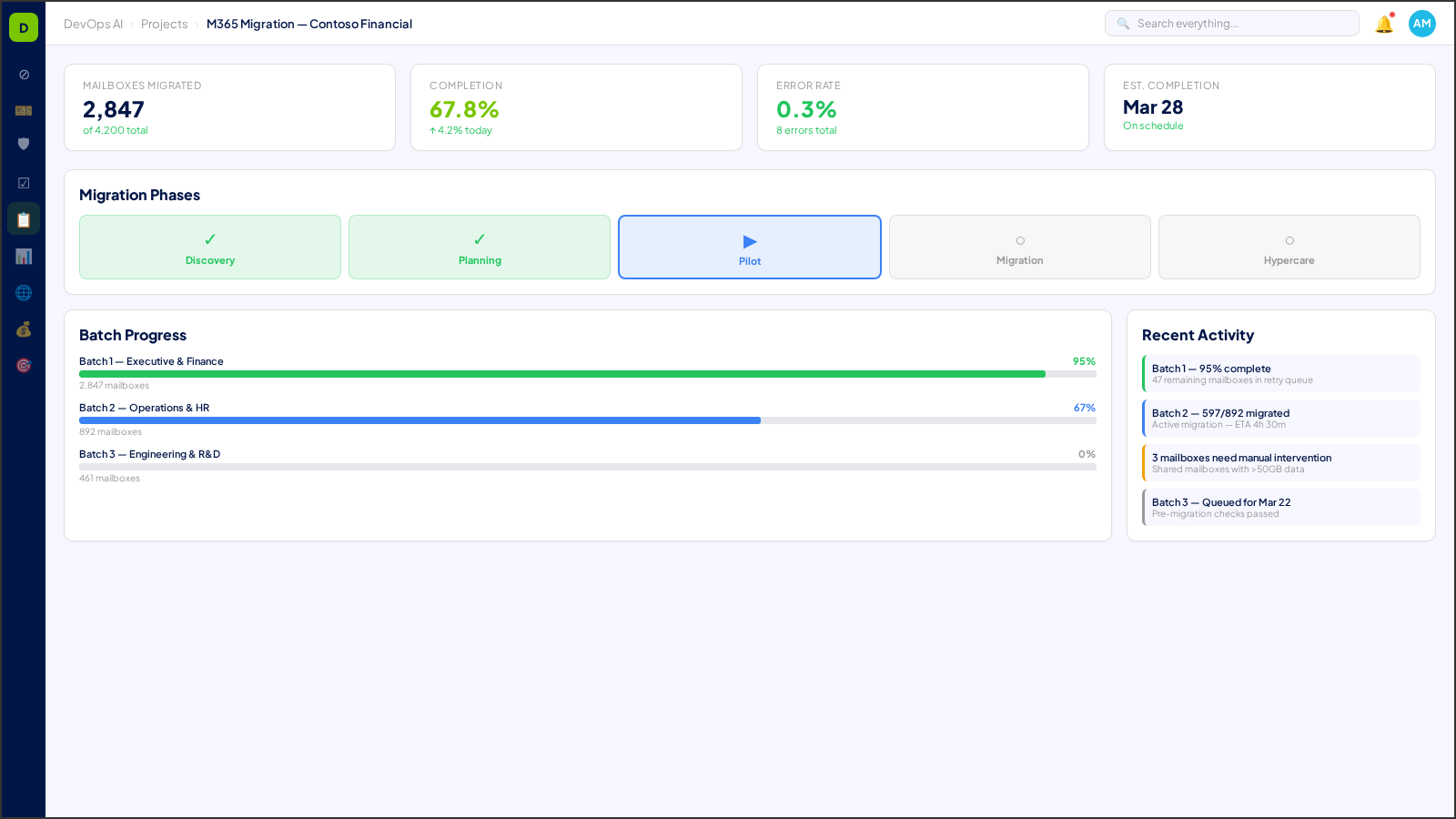
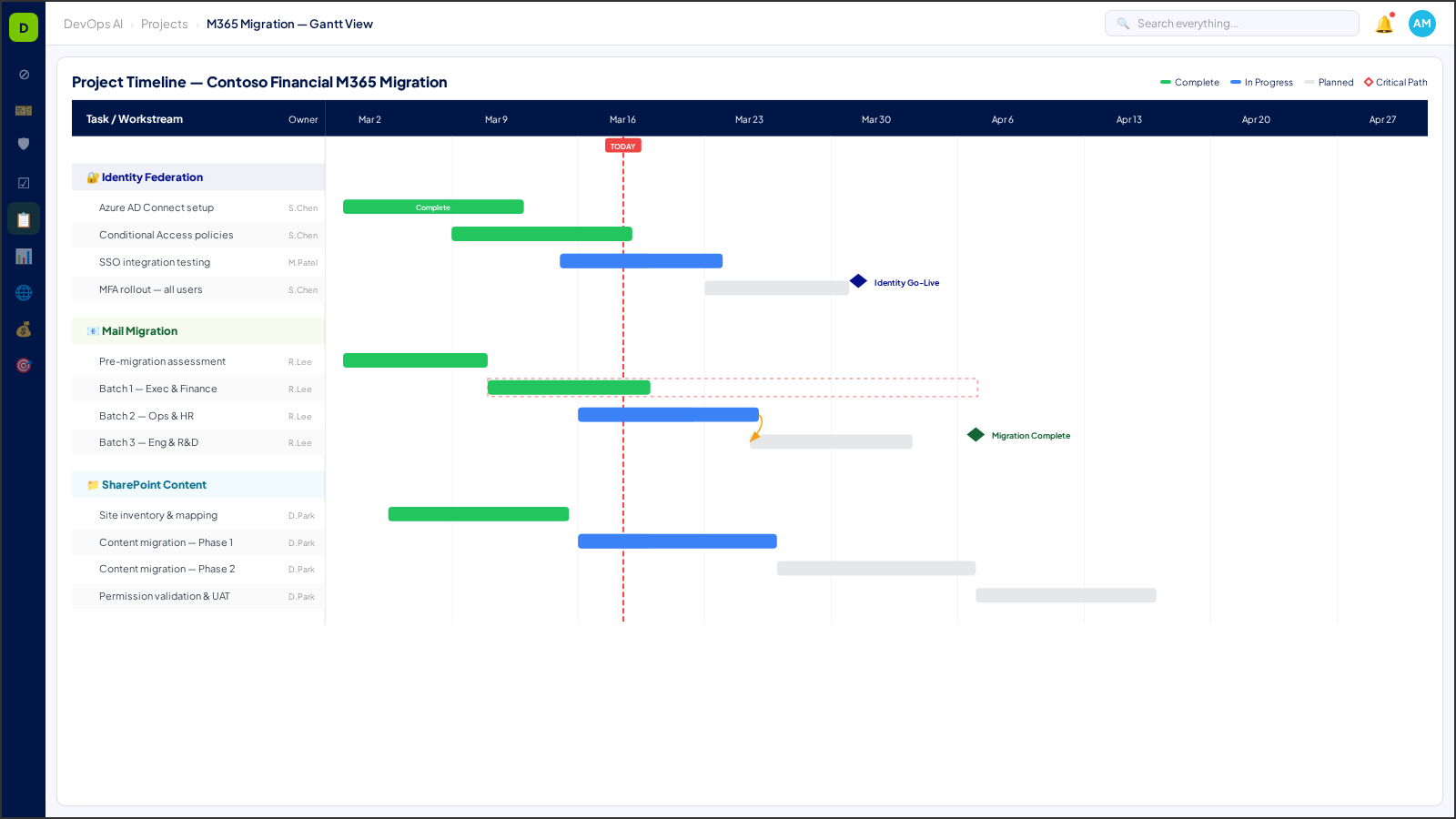
The Projects zone is where complex IT initiatives come to life — from M365 migrations to infrastructure overhauls. DevOps AI provides a complete project command center with Change Advisory Board (CAB) governance, AI-powered risk scoring, phase-gated execution, and real-time stakeholder visibility.
What You'll See
Real screens from the DevOps AI control plane — populated with representative data.
8 Process Areas
Each process area is classified with a Human-in-the-Loop (HITL) gate level — defining the boundary between AI autonomy and human oversight. Click any process area for a deep dive.
CAB Submissions & AI Risk Scoring
L2 — Approve to ProceedEvery change request is analyzed by AI for risk, impact, and blast radius. CAB members review AI-generated risk assessments before approving.
Deep Dive →Discovery & Assessment
L1 — NotifyAutomated environment discovery — users, devices, applications, network topology, and security posture mapped before any migration begins.
Deep Dive →Phase-Gated Execution
L2 — Approve to ProceedMulti-phase project execution with go/no-go gates at each transition. AI validates prerequisites and flags blockers before phase advancement.
Deep Dive →Microsoft 365 Migration
L2 — Approve to ProceedEnd-to-end M365 migration with mailbox scheduling, SharePoint content mapping, Teams provisioning, and identity federation.
Deep Dive →Batch Execution Engine
L1 — NotifyParallel execution of migration batches with automatic rollback on failure. Progress tracking per batch with estimated completion.
Deep Dive →Hypercare & Stabilization
L1 — NotifyPost-migration monitoring with elevated SLA thresholds, rapid-response queues, and automated regression detection.
Deep Dive →Working Sessions
L3 — Human OnlyCollaborative project sessions with Zoom integration, real-time transcription, and automatic action item extraction.
Deep Dive →Playbook Designer
L2 — Approve to ProceedVisual workflow builder for creating and customizing project playbooks with dependency mapping and role assignment.
Deep Dive →Multi-Project Portfolio
L1 — NotifyUnified portfolio view across all active projects with resource allocation optimization, dependency mapping, and cross-project risk aggregation.
Deep Dive →PM Governance & Reporting
L1 — NotifyAutomated project governance reporting with milestone tracking, budget variance analysis, risk escalation workflows, and executive-ready status reports.
Deep Dive →Artifact Management
L0 — Fully AutomatedCentralized project artifact repository with version control, access governance, template management, and automated artifact generation for SOWs and runbooks.
Deep Dive →Understanding HITL Gate Levels
Every process area in DevOps AI is classified by its Human-in-the-Loop (HITL) gate level — defining when AI acts autonomously and when human approval is required.
AI executes autonomously with full logging. No human approval needed. Examples: ticket classification, monitoring alerts, report generation.
AI executes and notifies the assigned human. Human can review, override, or escalate after the fact. Examples: SLA predictions, patch scheduling.
AI prepares and recommends, but a human must explicitly approve before execution. Examples: change requests, contract modifications, campaign launches.
Humans perform the action with AI providing decision support only. Examples: legal review, privileged access approval, incident legal response.
Who Uses Projects?
See how Projects transforms daily operations for these roles.
Works With
Projects integrates deeply with these operational zones.