
Network Operations
Intelligent network monitoring with SLO management, topology visualization, and predictive capacity planning
Network Operations provides real-time visibility into the entire network infrastructure across all managed clients. From SLO-based monitoring to predictive capacity planning, DevOps AI ensures network health is maintained proactively rather than reactively.
What You'll See
Real screens from the DevOps AI control plane — populated with representative data.
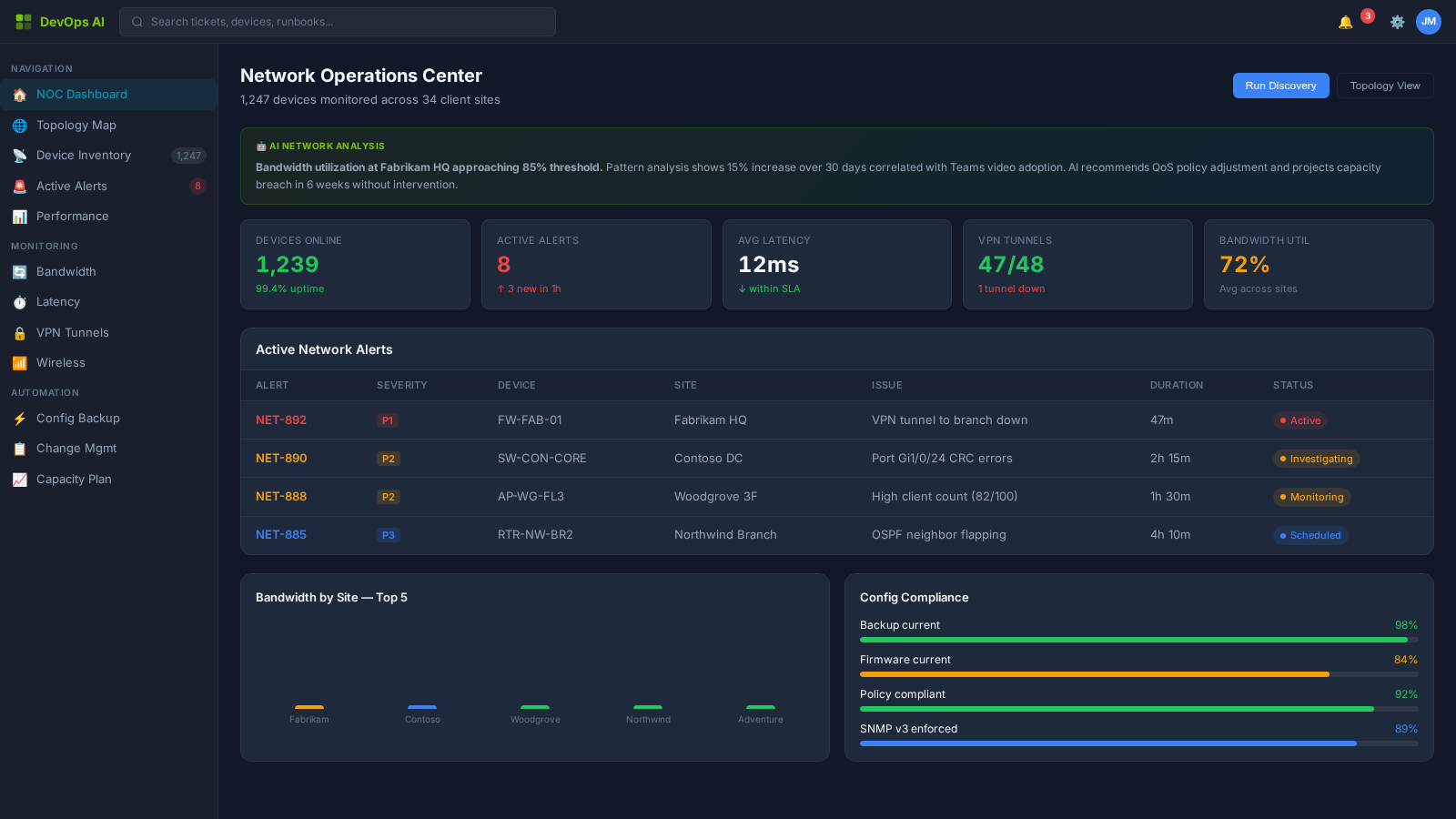
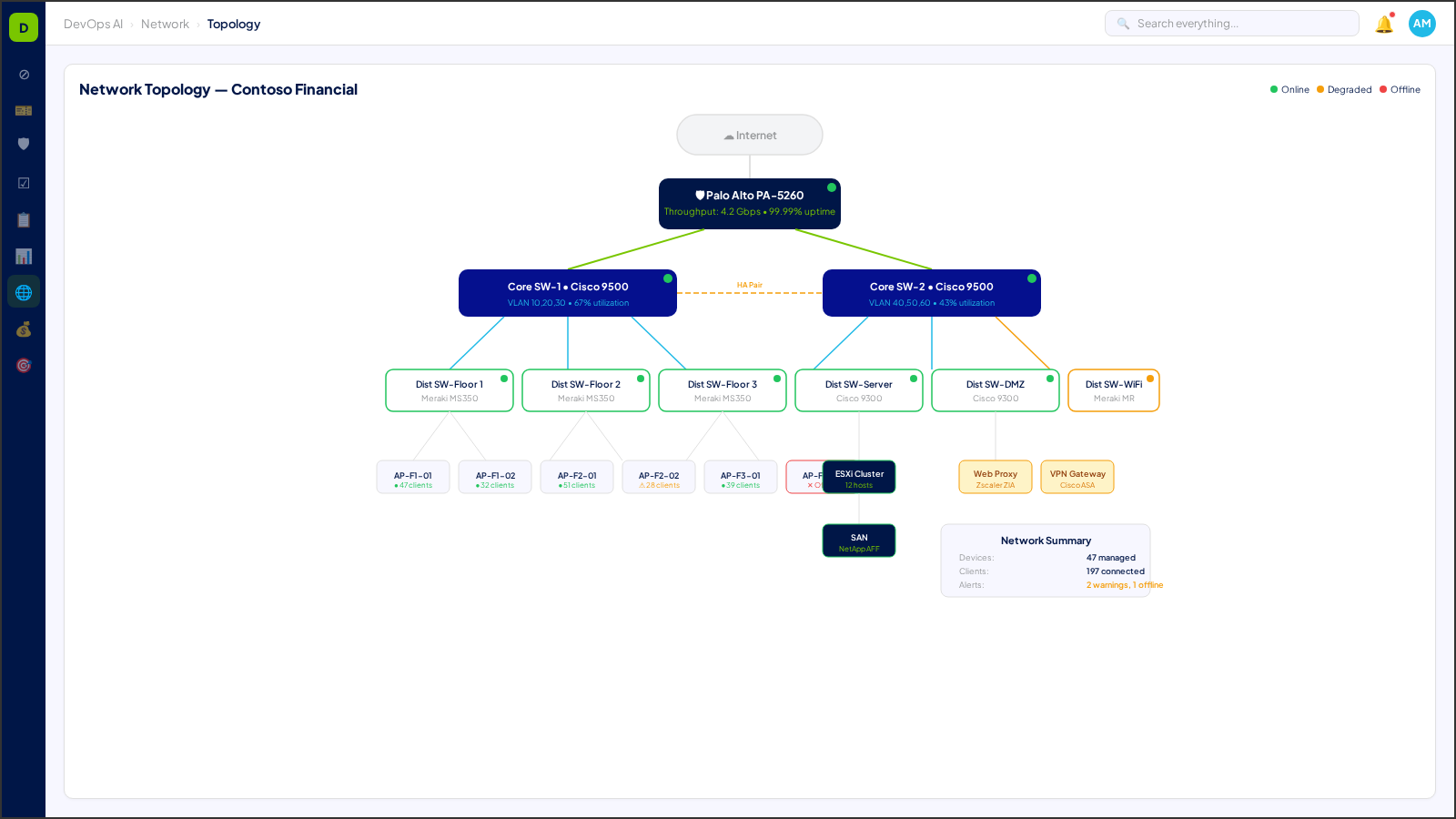
7 Process Areas
Each process area is classified with a Human-in-the-Loop (HITL) gate level — defining the boundary between AI autonomy and human oversight. Click any process area for a deep dive.
SLO Management
L1 — NotifyService Level Objective tracking with error budget consumption alerts and automated reporting for client-facing SLAs.
Deep Dive →Topology Visualization
L0 — Fully AutomatedInteractive network topology maps with real-time status overlays, dependency tracing, and change impact visualization.
Deep Dive →Capacity Forecasting
L1 — NotifyML-driven capacity predictions based on historical utilization trends. Proactive upgrade recommendations before saturation.
Deep Dive →SSL Certificate Management
L1 — NotifyAutomated certificate discovery, expiry tracking, and renewal workflows across all clients. Zero-downtime rotation.
Deep Dive →Ring-Based Patch Management
L2 — Approve to ProceedStaged patch deployment across canary, early adopter, and general availability rings with automated rollback on failure.
Deep Dive →Network Configuration Management
L2 — Approve to ProceedStandardized network configurations with drift detection, compliance validation, and automated remediation.
Deep Dive →Performance Monitoring
L0 — Fully AutomatedReal-time bandwidth, latency, and packet loss monitoring with anomaly detection and root cause analysis.
Deep Dive →Network Discovery Automation
L0 — Fully AutomatedAutomated network discovery scanning that maps devices, subnets, VLANs, and connectivity topology — maintaining a living CMDB with change detection and drift alerting.
Deep Dive →Ticket-Driven Network Automation
L2 — Approve to ProceedNetwork configuration changes triggered by service desk tickets — automated VLAN changes, firewall rule updates, and DNS modifications with pre-flight validation.
Deep Dive →Understanding HITL Gate Levels
Every process area in DevOps AI is classified by its Human-in-the-Loop (HITL) gate level — defining when AI acts autonomously and when human approval is required.
AI executes autonomously with full logging. No human approval needed. Examples: ticket classification, monitoring alerts, report generation.
AI executes and notifies the assigned human. Human can review, override, or escalate after the fact. Examples: SLA predictions, patch scheduling.
AI prepares and recommends, but a human must explicitly approve before execution. Examples: change requests, contract modifications, campaign launches.
Humans perform the action with AI providing decision support only. Examples: legal review, privileged access approval, incident legal response.
Who Uses Network Operations?
See how Network Operations transforms daily operations for these roles.
Works With
Network Operations integrates deeply with these operational zones.